How Do I Add An Accessory To A System?
Follow
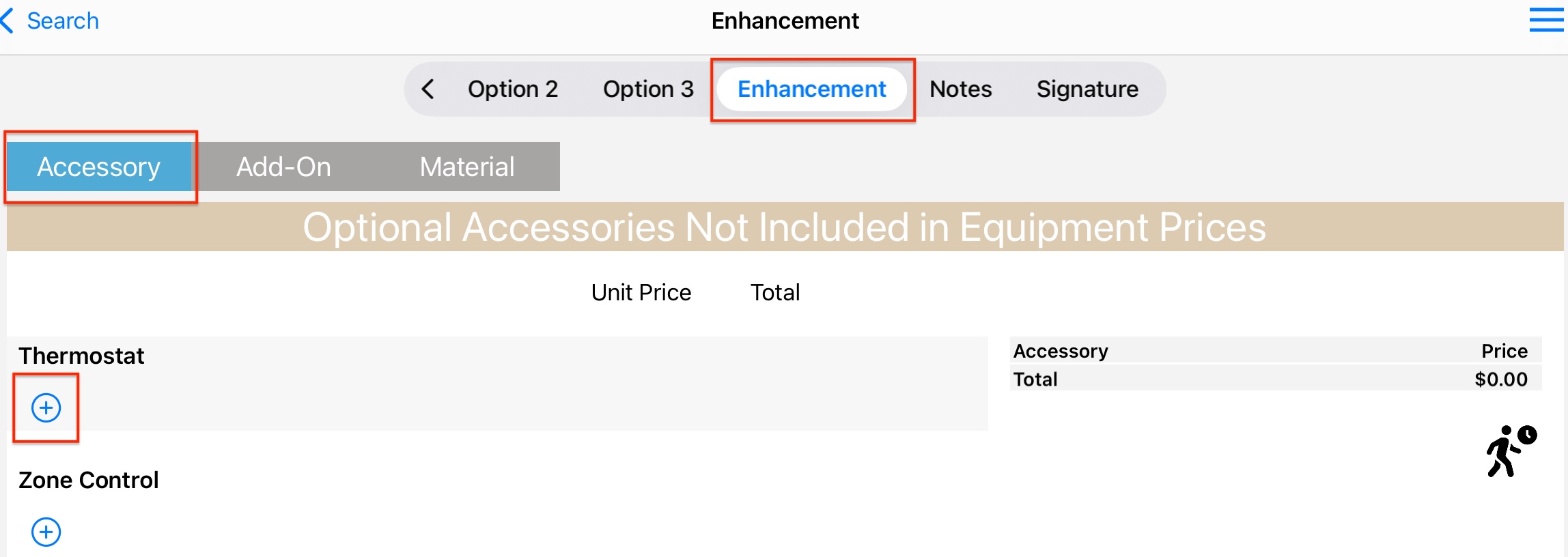
Accessory Tab
- Each striped section is a "block."
- Tap the Plus Sign to open a block.
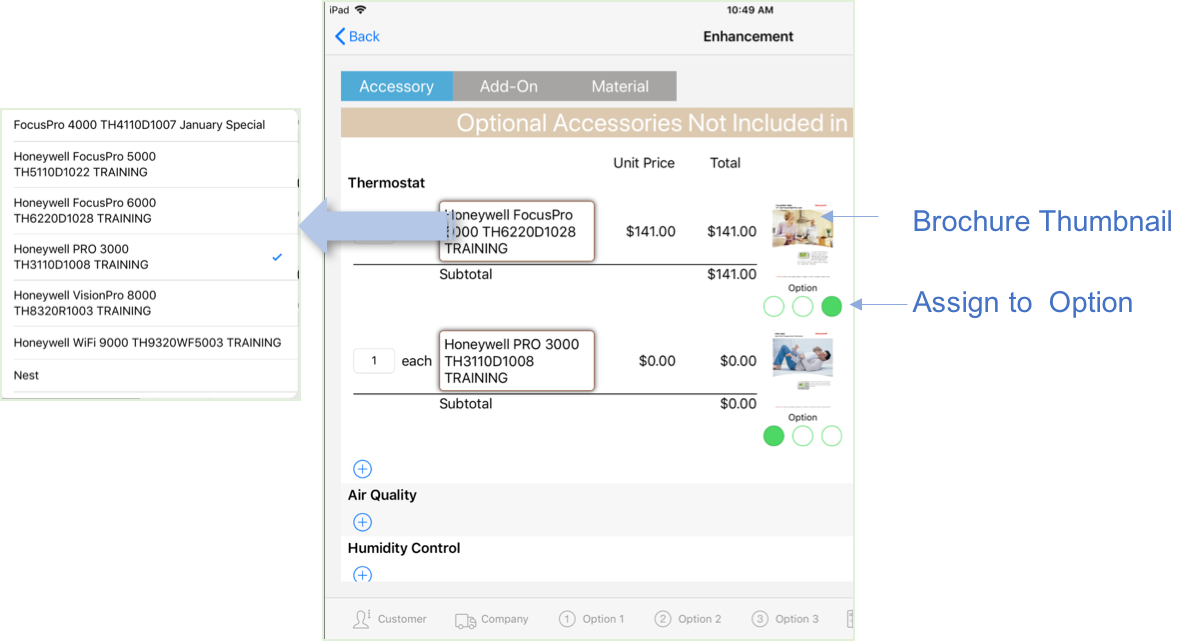
- Tap the model display name to open the selection spinner.
- Tap the Brochure thumbnail to open the brochure. A link to the brochure will be included in the Customer email.
- Tap Option circles to assign or remove the accessory to an option.
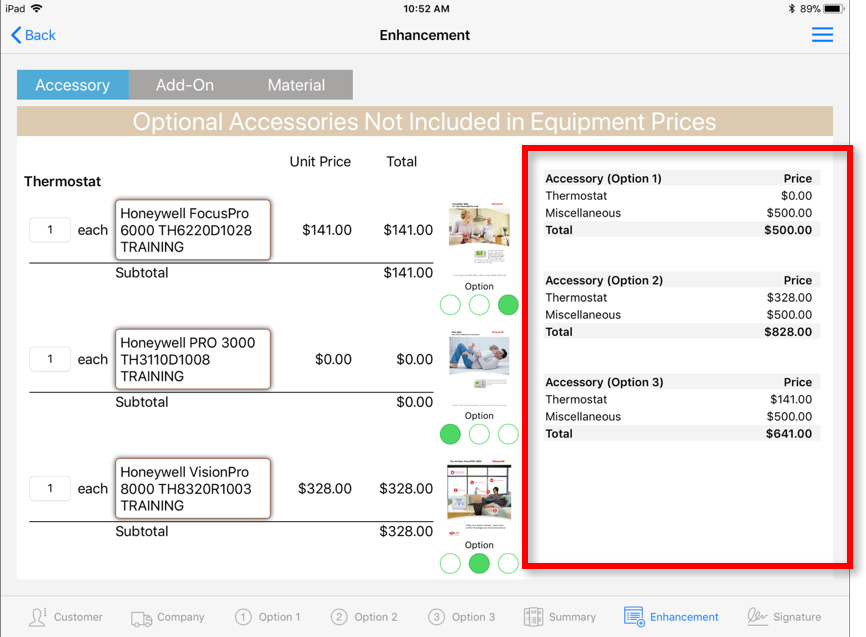
Pricing
- Pricing pane populates as selections are made.
- Displayed price includes the finance boost when a financing program is selected.
Discount
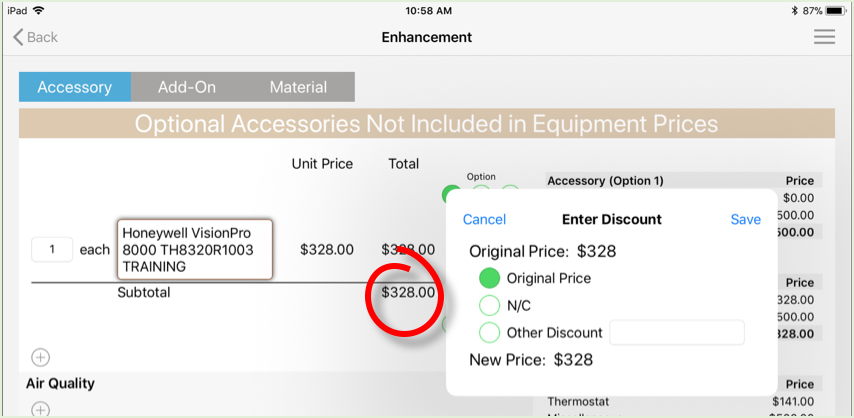
- Tap the Subtotal $ amount to open the Enter Discount pane.
- Discounts entered will display in the pricing pane and on the Customer Proposal
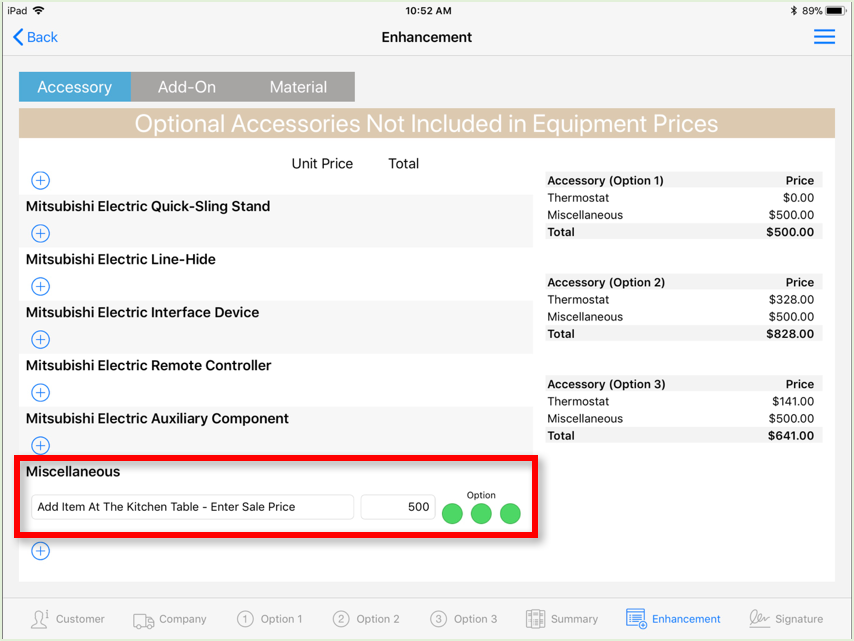
Miscellaneous
- Miscellaneous accessories can be added at the kitchen table.
- Enter the sale price of the item.

Comments
0 comments
Please sign in to leave a comment.