
Home Page Navigation Menu |
|---|
|
1) Select Quick Proposal |
|
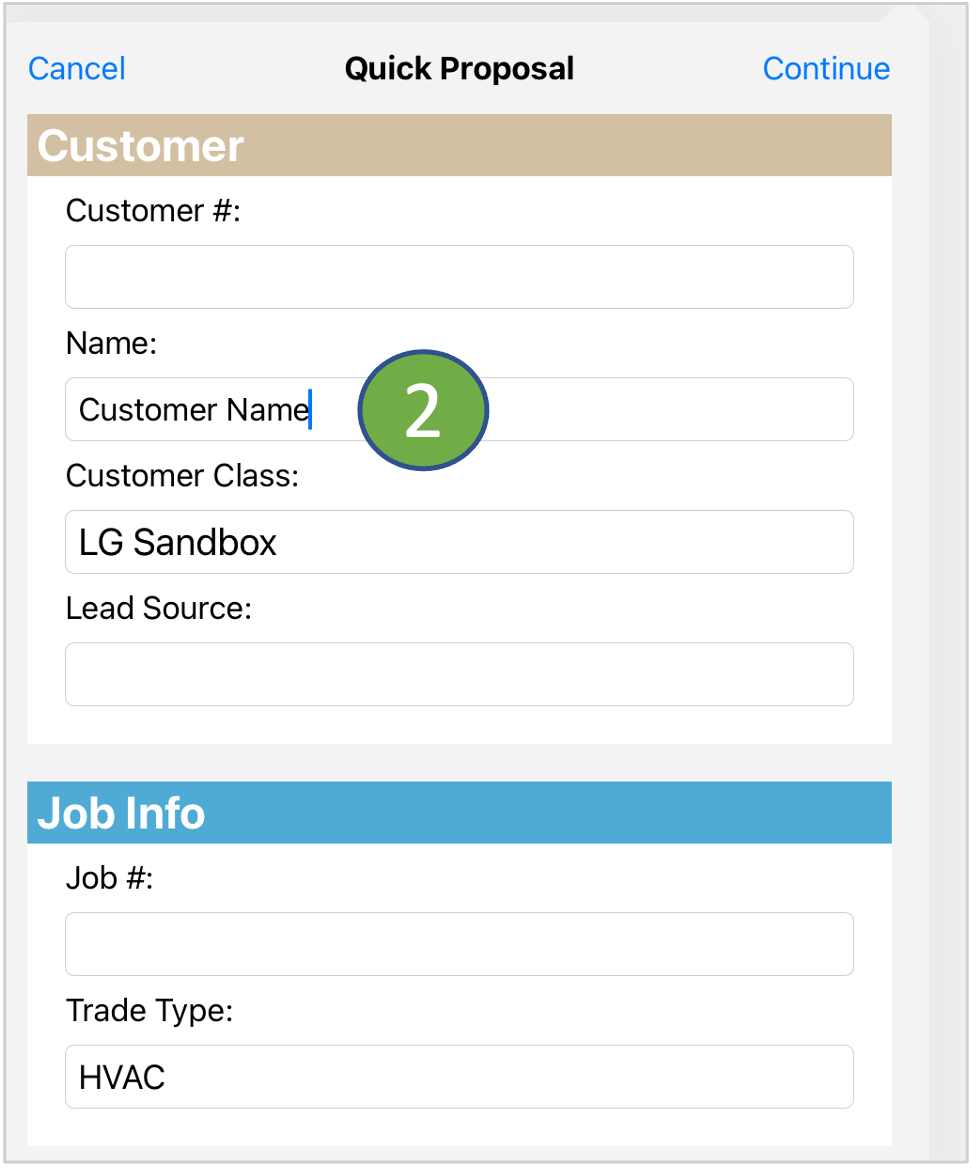
2) Complete the Customer Form - Customer Name is required - Continue |
 |
 |
 |
Customer Tab |
|
|---|---|
|
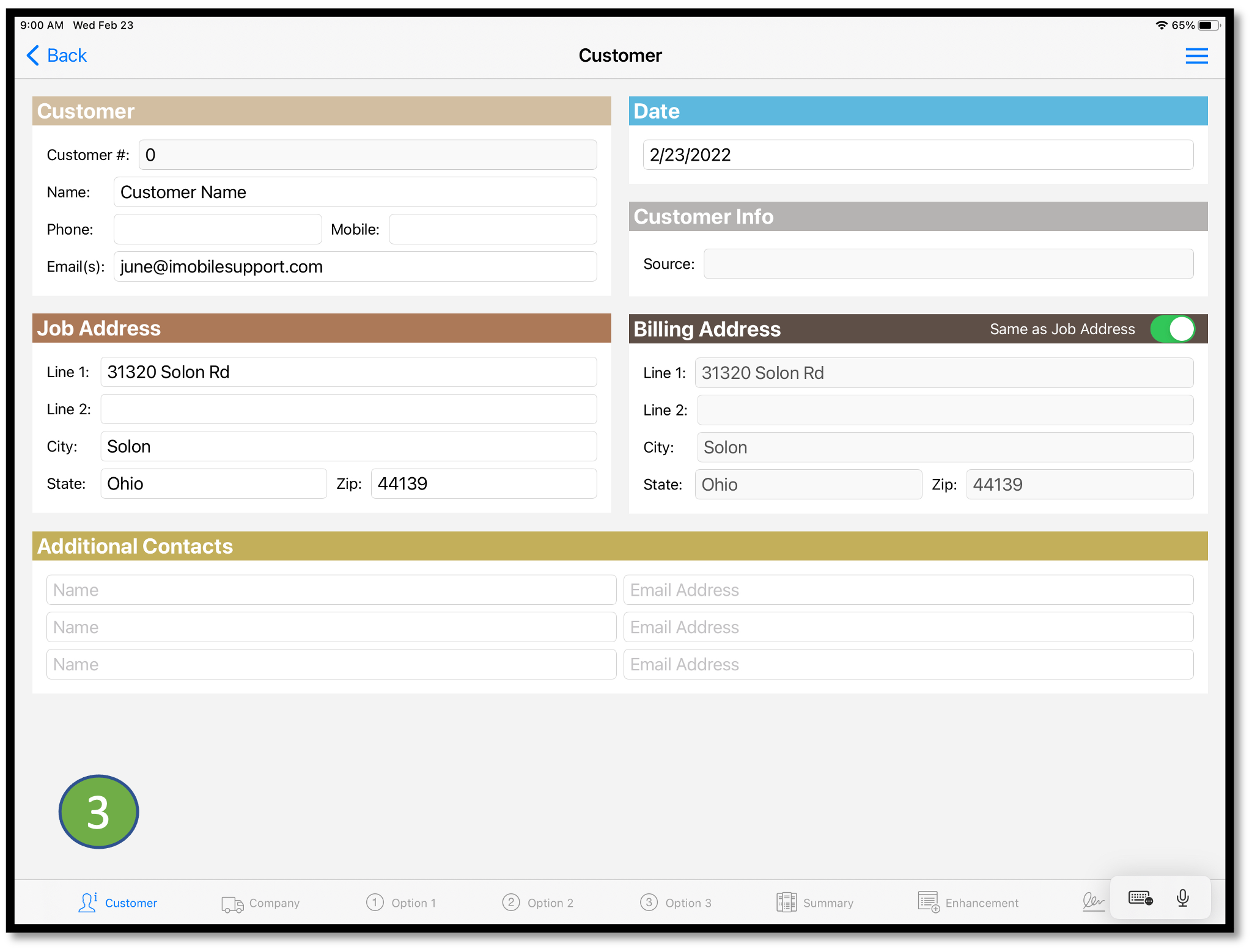
3) Complete the Customer Information. Information entered here will display on the Proposal PDF and Forms |
|
Option 1 Tab |
|
|---|---|
|
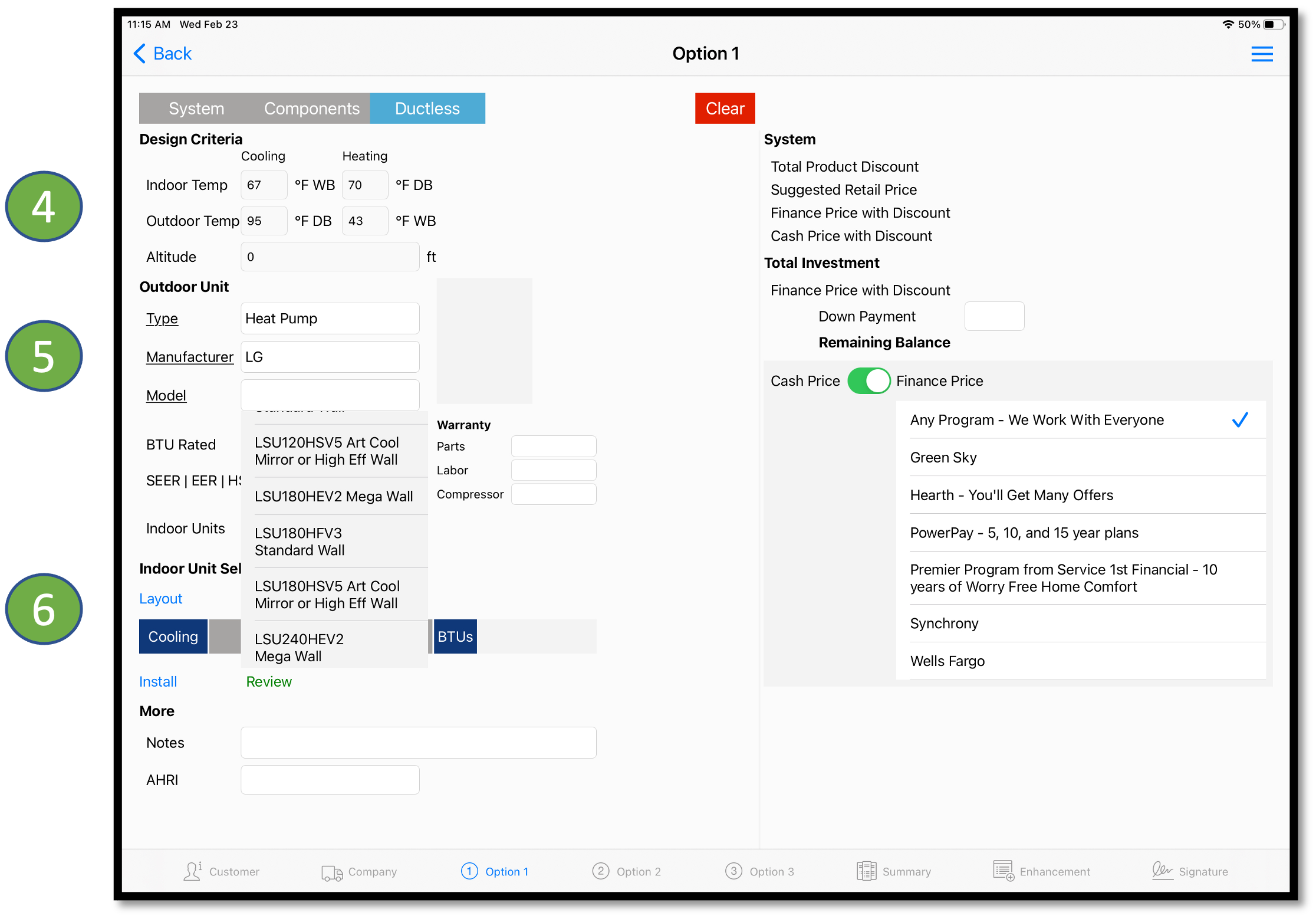
4) Enter Design Criteria 5) Tap on Underlined field names to select from dropdowns - OEM, Type, and Model 6) Tap on Layout to enter piping layouts. |
|
Layout |
|
|---|---|
|
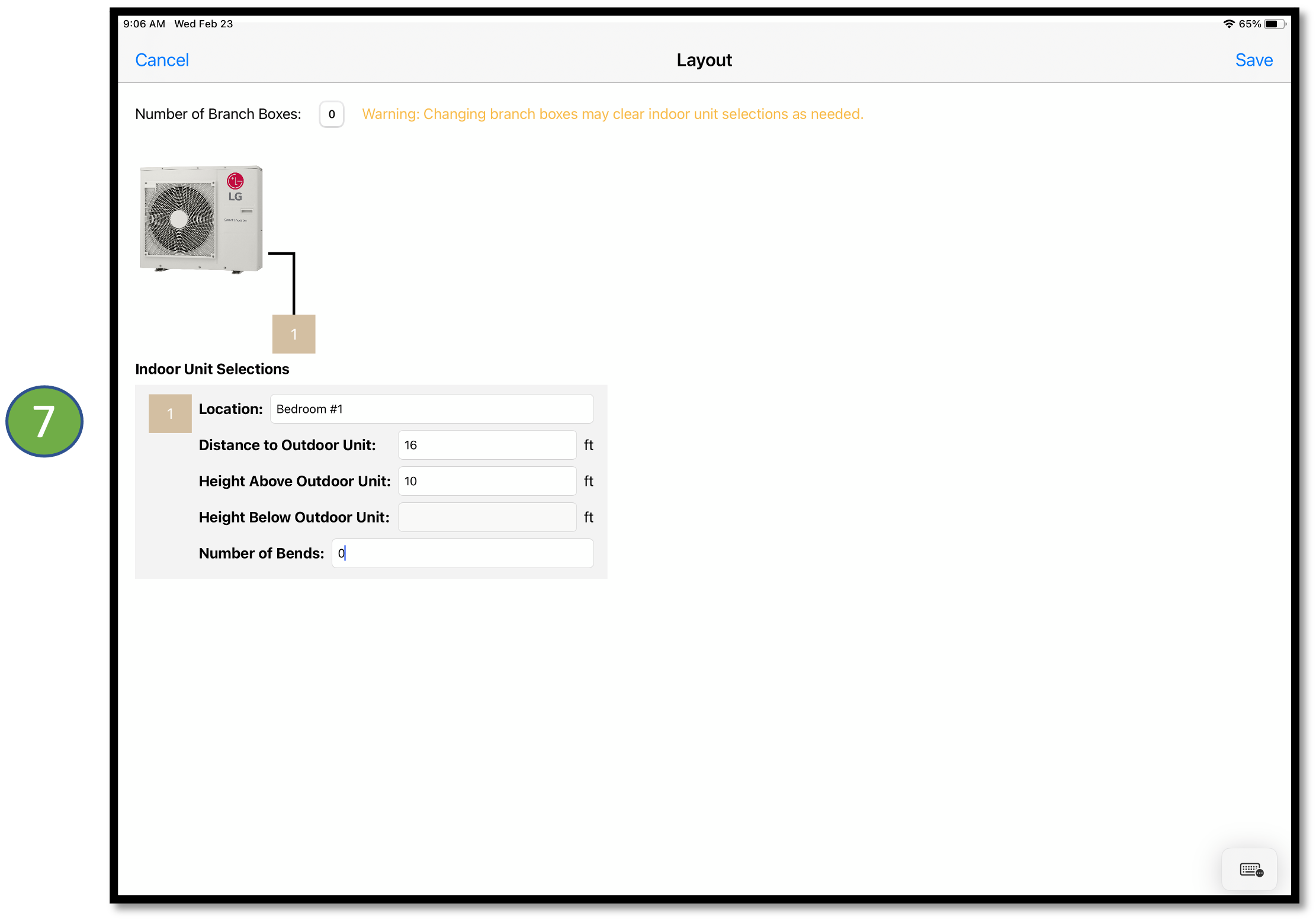
7) Select or Enter the Location. Complete the required fields:
|
|
Select the IDU |
|
|---|---|
|
8) Tap on the numbered box to open "Select Indoor Unit"
|
|
|
|
9) Tap on the IDU image and select the unit from the dropdown. Save the selection to return to the Option tab. |


Review System Adjustments |
|---|
|
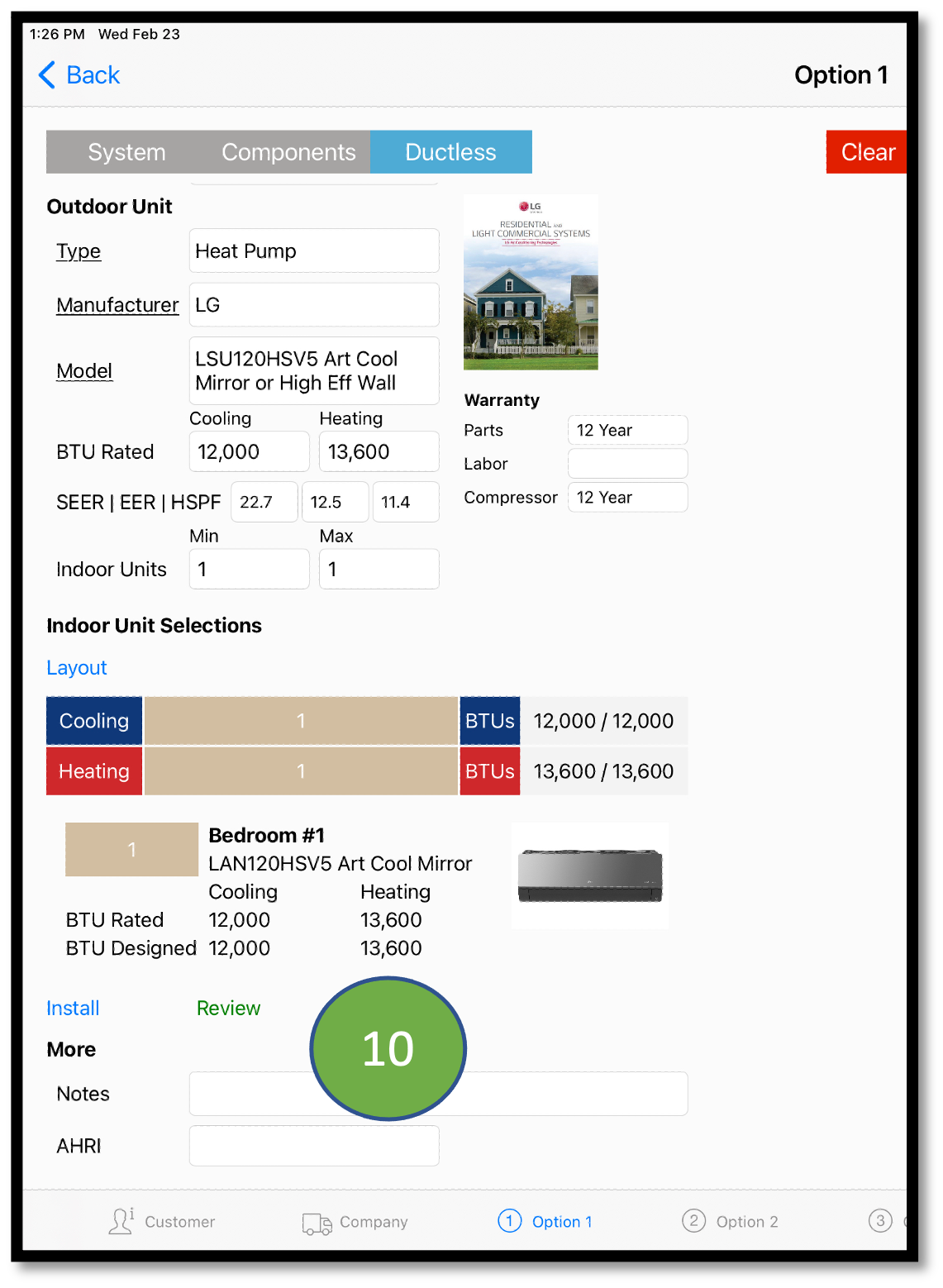
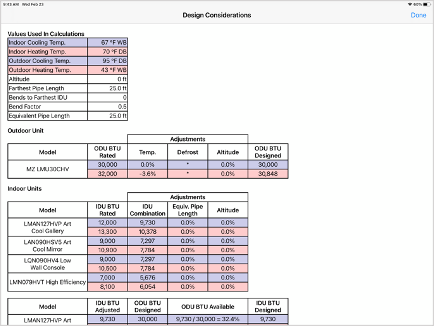
10) Tap Review to open Design Considerations |
 |
|
 |
Adjust Job Costs, Labor and Install Materials |
|
|---|---|
|
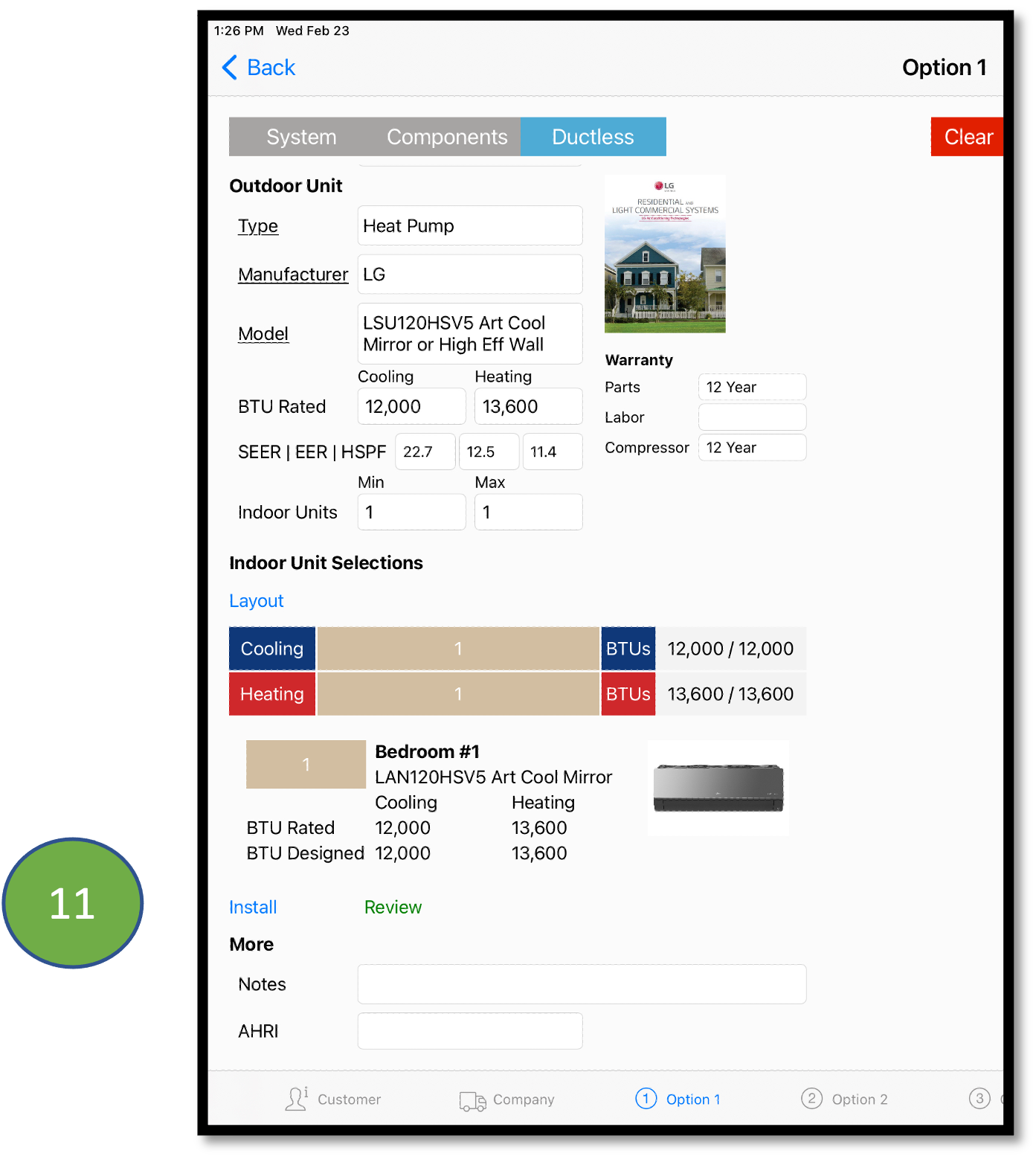
11) Tap Install to open the Install Manager Adjust: * Overall Job Costs * Labor Hours * Install Kit items
|
|
|
|
|

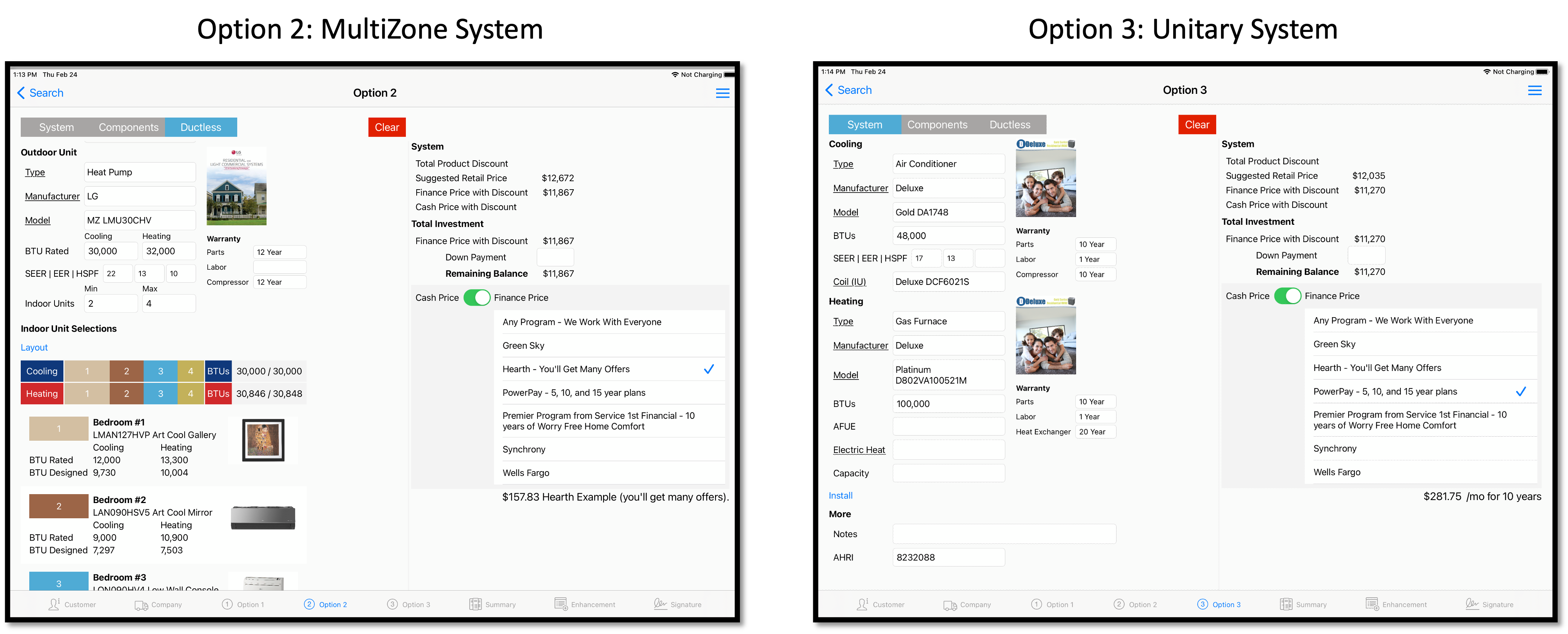
Build Ductless or Unitary systems on Option 2, 3 Tabs |
|
|---|---|
|
|
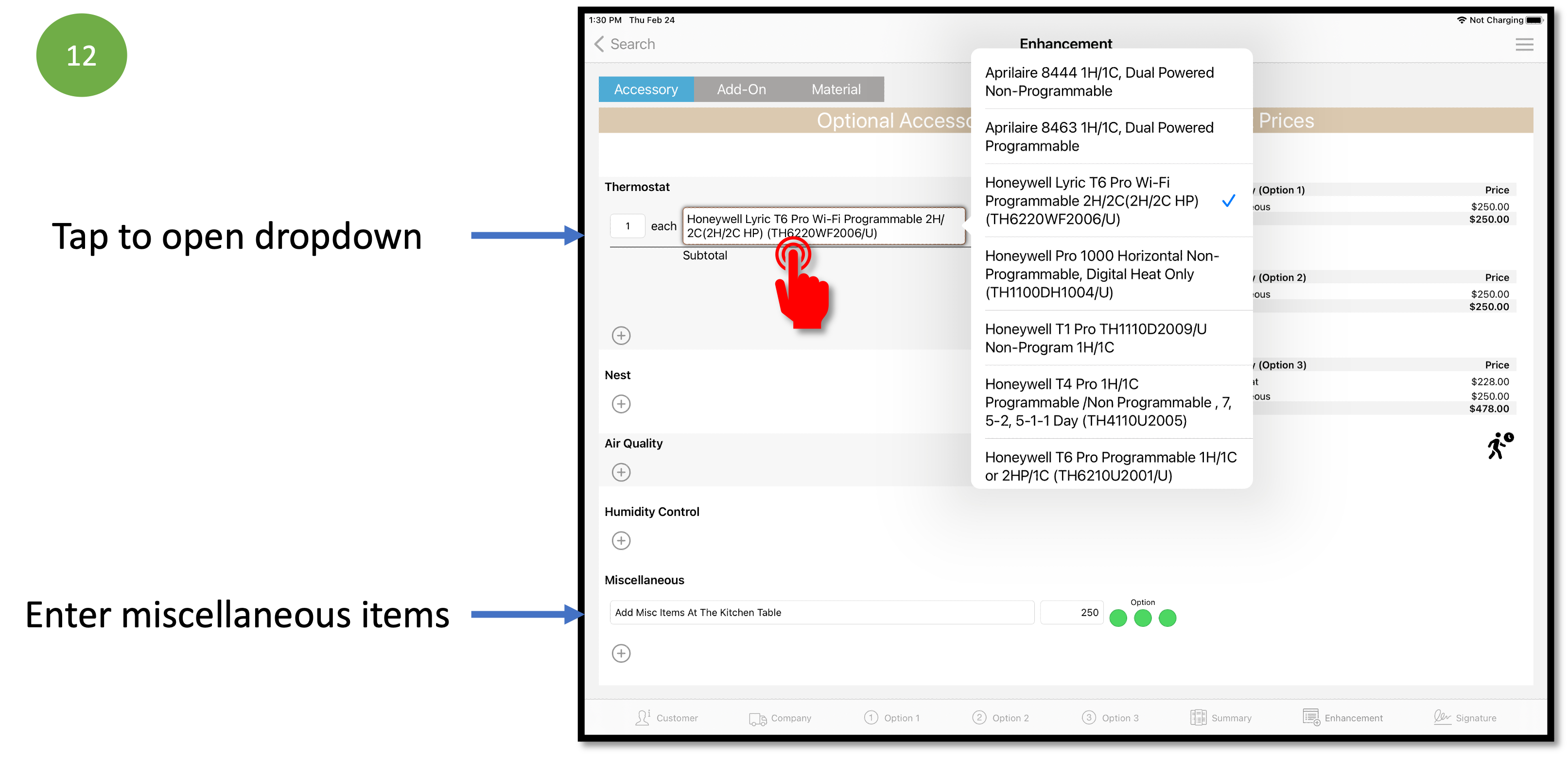
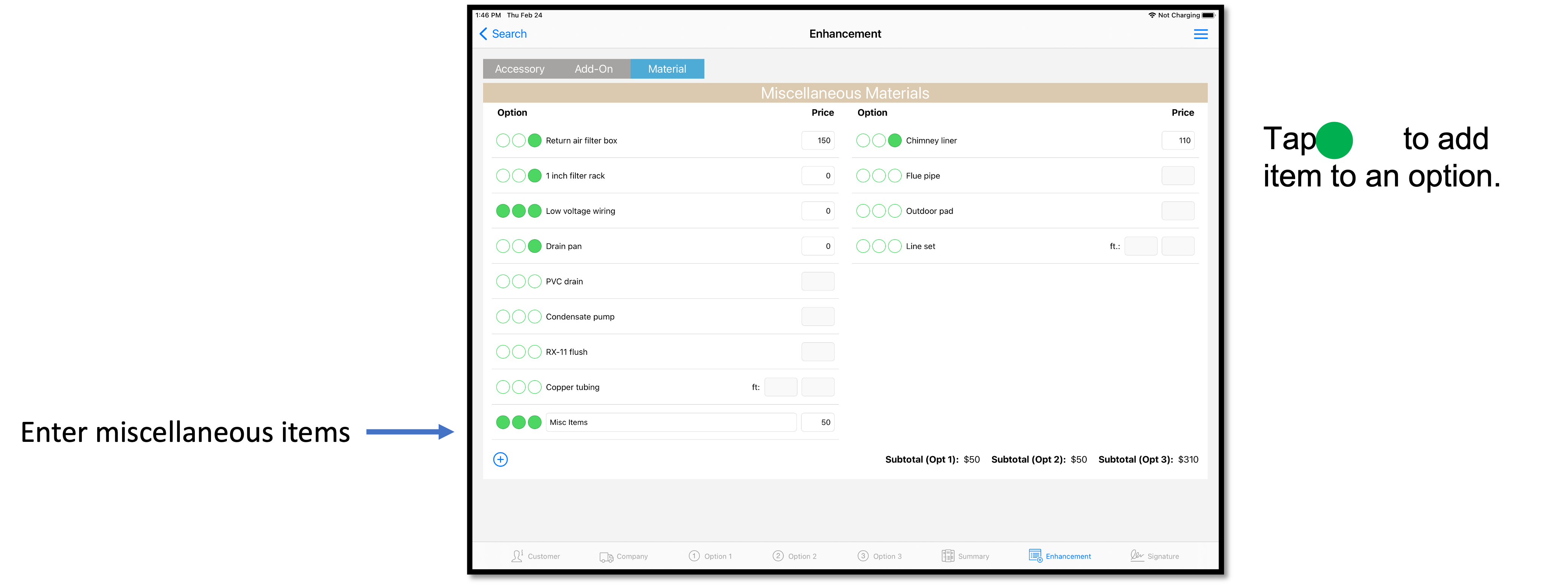
Enhancements Tab: Accessories, Services, and Materials |
|
|---|---|
|
|
|
|
|
|
|
|
|
|
|
|
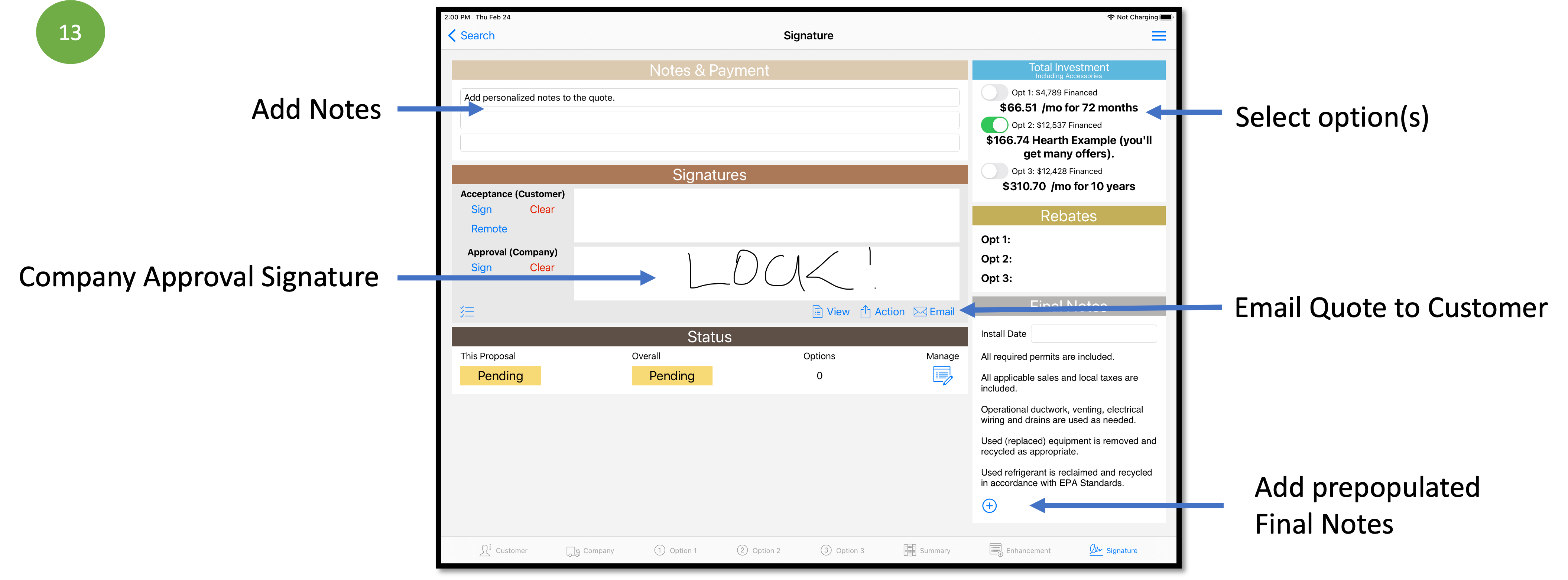
Signature Tab |
|
|---|---|
|
|
|
|
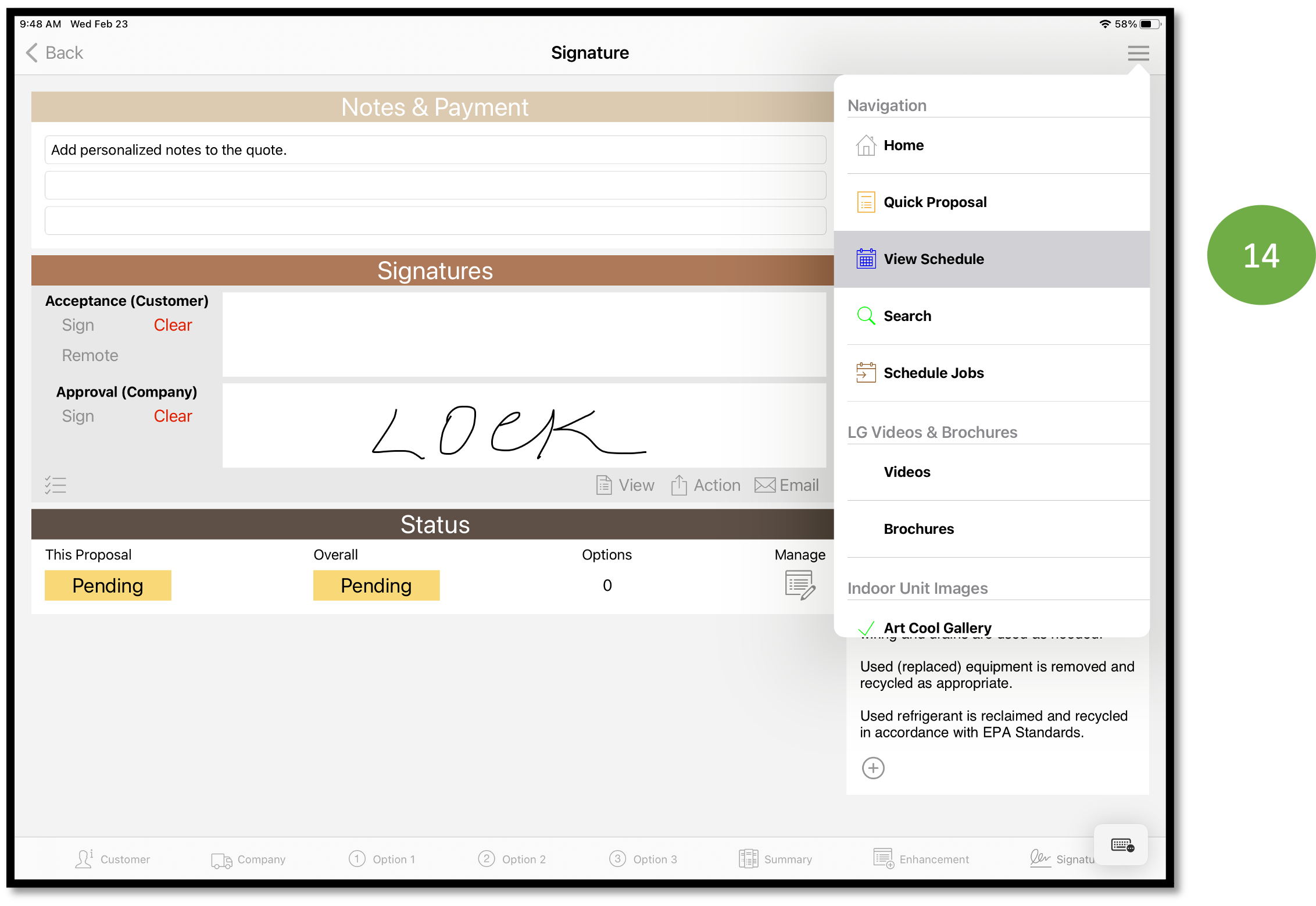
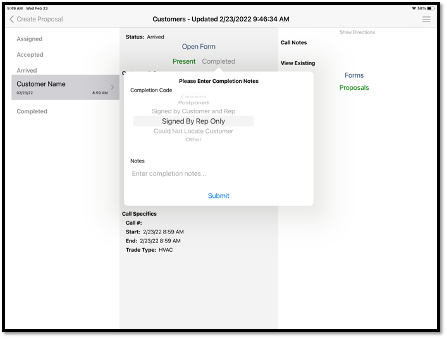
| Complete the Sales Call | |
|---|---|
|
|
|
 |
Additional Resources:
Comments
0 comments
Please sign in to leave a comment.